
Is your home too hot one moment and too cold the next? Maybe it’s time to get a smart thermostat. Two of the biggest names are Nest and Ecobee. But which one is right for you?
TL;DR: Both Nest and Ecobee are excellent choices. Nest is sleek, smart, and great for Google Home users. Ecobee includes room sensors and works well with Alexa. If budget matters and you want built-in voice control, Ecobee wins. If you want simplicity and Google integration, go with Nest.
Table of Contents
Design and Appearance
Let’s face it—looks matter, especially when it’s hanging on your wall.
- Nest: Sleek, round, and modern. It comes in multiple colors like black, white, brass, and stainless steel. It looks like a gadget from the future.
- Ecobee: More rectangular and flat. The design is simple, but not as flashy. It has a touchscreen and is easy to navigate.
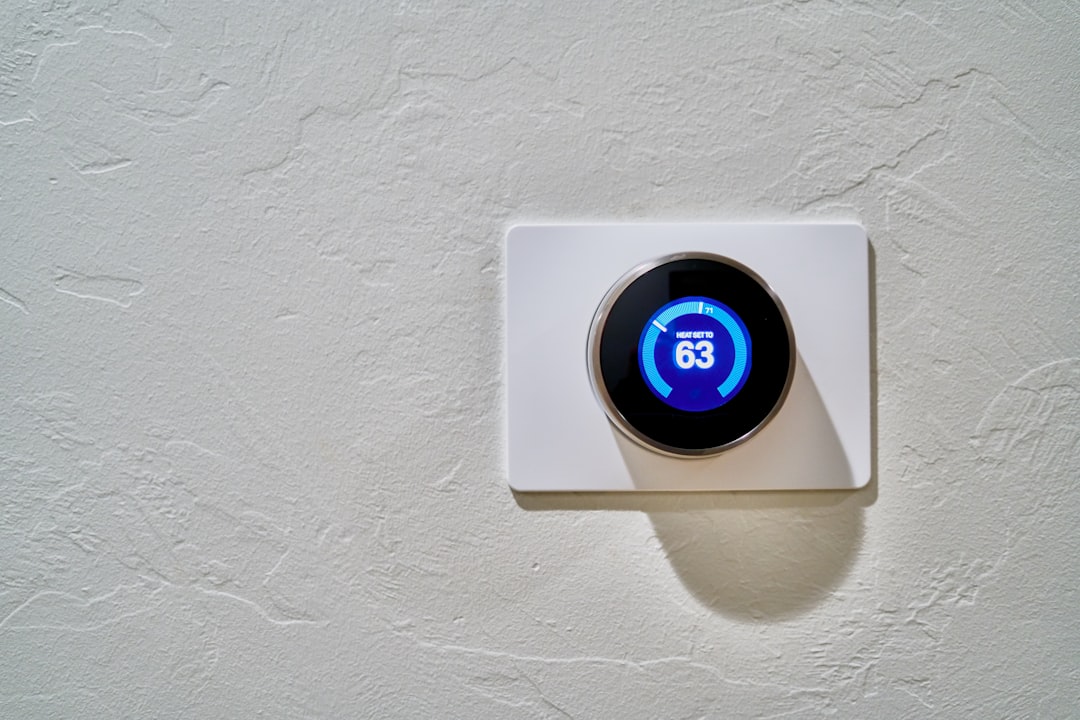
If you want something that grabs attention, Nest may be your pick. If you’re more about function over form, Ecobee might suit you better.
Ease of Use
Nobody wants a thermostat that feels like launching a spaceship.
- Nest: Uses a rotating dial. It’s simple and intuitive. The interface shows you temperature, time, and energy-saving info.
- Ecobee: Uses touchscreen controls. More like using a smartphone. It has more menu options right on the screen.
Both have apps you can install on your phone. They let you control the temperature from anywhere. Nest’s app is a little cleaner, while Ecobee’s app offers more options and settings.
Smart Features
Here’s where things get really cool.
- Nest: Uses machine learning to figure out your schedule. Over time, it programs itself. You don’t have to do much.
- Ecobee: Uses SmartSensors to tell where people are in the house. This lets it adjust temperatures in the rooms you use most.
Ecobee also has built-in Alexa in some models. You can talk to your thermostat! Nest doesn’t come with voice assistant built-in, but it integrates with Google Assistant.

Energy Savings
Let’s talk money. These thermostats say they save you some.
Both thermostats offer:
- Energy tracking reports
- Smart scheduling
- Home and away modes
Nest: Learns your routine and adjusts temperatures automatically. It gets smarter the longer you use it.
Ecobee: Uses sensors to detect motion and temperature in different rooms. Its scheduling is more manual, but also more customizable.
You’ll probably save with both, but if you forget to set schedules, Nest might save you more in the long run with its learning feature.
Installation
Don’t worry! Installing these is not as scary as it sounds.
- Nest: Easy for most people. It comes with clear instructions. Usually takes about 30-45 minutes.
- Ecobee: Also pretty easy, but a little more detailed. It usually needs a C-wire (which carries power). If you don’t have one, it comes with a Power Extender Kit.
If you’re scared of wires, you might want to call a pro. But many people do it themselves with no problem.
Voice Assistant Compatibility
This is where each one shines in different ways:
- Nest: Works best with Google Assistant. It can also work with Alexa, but some features may be limited.
- Ecobee: Built-in Alexa! You can ask it to change the temperature, play music, or read the news. It also works with Google Assistant, Siri, and Apple HomeKit.
If your home runs on Google devices, Nest is smoother. If you’re into Alexa or Apple, Ecobee is more flexible.
Room Sensors
This is where Ecobee beats Nest hands-down.
- Ecobee: Comes with SmartSensors. These sense both motion and temperature in different rooms.
- Nest: Has optional room sensors (sold separately) but they aren’t as advanced. They track temperature, but not motion.
If you want your bedroom cozy while you sleep, or your living room warm when you’re watching TV, Ecobee knows where you are and adjusts things accordingly.
Price
Let’s break it down:
- Nest (3rd Gen): Around $250
- Ecobee SmartThermostat with Voice Control: Around $250
- Ecobee3 Lite: Around $180
Both brands have higher-end and budget options. Nest’s learning features are generally in the pricier models. Ecobee has more model variety and comes with sensors even in bundles.
Mobile Apps
Both companies have slick mobile apps. Here’s a quick comparison:
- Nest App: Clean, easy to read, limited settings.
- Ecobee App: Feature-packed, customizable, maybe a bit more complex.
If you’re tech-savvy, you might love Ecobee’s options. If not, Nest’s simplicity could be just what you need.
Customer Support & Updates
Both companies offer good customer service.
- Ecobee: Canadian-based, solid support, frequent firmware updates.
- Nest: Backed by Google, big ecosystem, but sometimes slower to respond to service requests.
Also, Ecobee often releases new features through free updates. Nest does this too but not as frequently.
Which Should You Choose?
Here’s a quick recap to help you decide:
| Category | Nest | Ecobee |
|---|---|---|
| Design | Stylish and modern | Sleek but simple |
| Learning | Excellent auto learning | Manual but customizable |
| Room Sensors | Only temperature | Motion and temperature |
| Voice Control | Google Assistant | Built-in Alexa + others |
| Smart Home Use | Best with Google | Great with Alexa and Apple |
The Verdict
Choose Nest if:
- You love Google products
- You want something simple and sleek
- You like the idea of a thermostat that learns by itself
Choose Ecobee if:
- You want room sensors that track motion
- You use Alexa or Apple smart home systems
- You like more control and customization
Either way, you can’t go wrong. Both will help you save energy, stay cozy, and make your home smarter.
Now you just have to decide—do you want the thermostat that thinks for you, or the one that listens to you?
Happy smart homemaking!