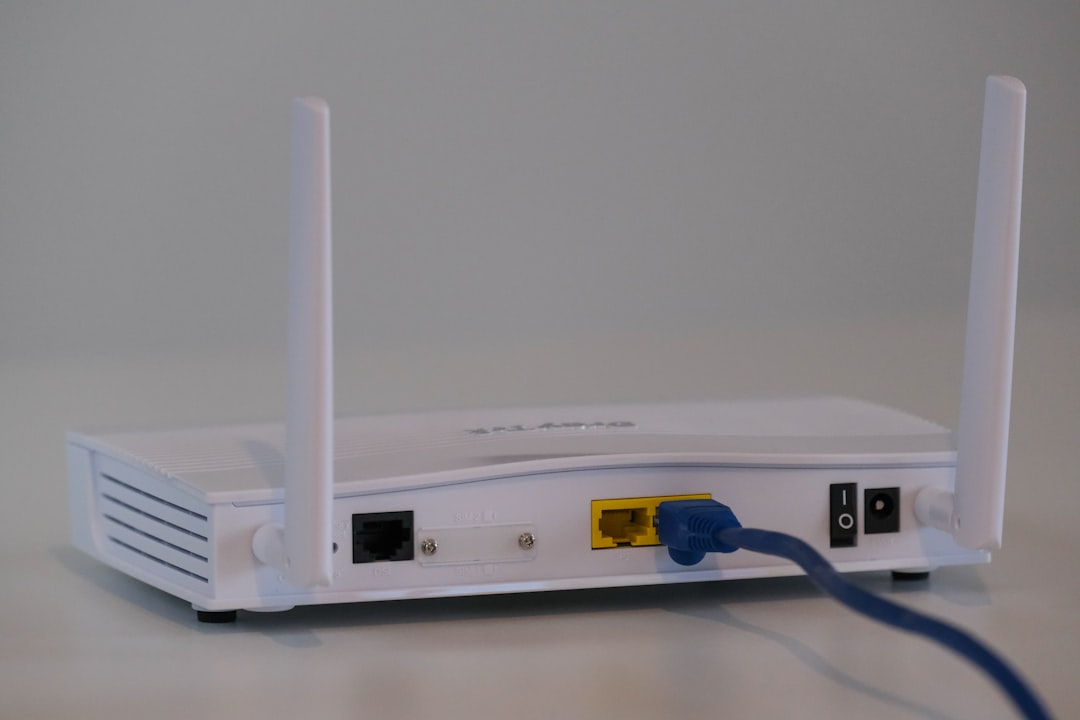
A blinking green light on your Xfinity router can feel like a tiny mystery sitting on your shelf. Is it good? Is it bad? Is your internet about to disappear during movie night? Don’t worry. In most cases, that blinking green light is simply your router trying to tell you something important. Once you understand the signals, it becomes much less scary.
TL;DR: A blinking green light on an Xfinity router usually means it is trying to establish a connection with the internet. This often happens during startup or after a service interruption. If it keeps blinking for a long time, there may be a connection issue. Restarting the router, checking cables, or contacting Xfinity can usually fix the problem.
Table of Contents
What Does the Blinking Green Light Mean?
Your Xfinity router uses LED lights to communicate. Think of them as little status updates. When the light is blinking green, it usually means one thing: the router is attempting to connect to the internet.
This often happens during:
- Startup or reboot
- A firmware update
- A service outage
- After tightening or reconnecting cables
In simple terms, your router is saying, “Hold on. I’m working on it.”
If the blinking only lasts a few minutes, you are probably fine. If it lasts much longer, it may signal a connection problem.
Image not found in postmetaUnderstanding Router Boot Cycles
Let’s talk about boot cycles. This sounds technical, but it is simple.
A boot cycle happens when the router powers on and goes through its startup process. During this time, you will often see blinking lights. The device checks hardware, connects to your ISP, and verifies data signals.
Here is what usually happens in order:
- The router powers on.
- Lights turn solid or blink in sequence.
- The router searches for an internet signal.
- It connects to the network.
- The light turns solid white (or another stable color).
If everything works properly, the green blinking light will eventually stop. A stable light means you are connected.
If the router cannot complete this process, it may get stuck blinking.
How Long Should It Blink?
Normally, a router should finish booting within 5 to 10 minutes.
If your Xfinity router keeps blinking green for more than 15 minutes, something may be wrong. It could be:
- A weak cable signal
- A loose coaxial cable
- An outage in your area
- A damaged splitter
- A problem with your account provisioning
The good news? Most of these issues are easy to check.
Common Causes of a Blinking Green Light
Let’s break down the most common reasons.
1. Service Outage
If Xfinity is experiencing an outage in your area, your router will keep trying to connect. It will blink green while it waits for the signal to return.
You can check for outages by:
- Using the Xfinity app
- Visiting the Xfinity website
- Calling customer support
If there is an outage, you just have to wait.
2. Loose or Damaged Cables
Your router depends on a strong physical connection. If the coaxial cable is loose, bent, or damaged, the signal may not reach your device.
Check these connections:
- Coaxial cable (wall to modem)
- Power cable
- Ethernet cables (if connected)
Make sure everything is snug. But do not overtighten.
3. Signal Issues
Sometimes the signal from the service provider is too weak. This can happen because of:
- Old splitters
- Excess cable length
- Weather damage outside your home
If you suspect this, you may need a technician.
4. Router Firmware Update
Routers update themselves sometimes. During updates, lights may blink for several minutes.
Do not unplug the router during a firmware update. That can cause bigger issues.
5. Activation Problems
If your router is new, it might not be activated yet.
New devices must be registered to your account. Without activation, the router cannot finish connecting. It will just keep blinking.
Step-by-Step Troubleshooting
If that green light will not stop blinking, try this simple checklist.
Step 1: Wait a Few Minutes
Seriously. Sometimes patience wins.
Give it at least 10 minutes before touching anything.
Step 2: Restart the Router
This fixes many problems.
- Unplug the power cable.
- Wait 60 seconds.
- Plug it back in.
- Wait for the boot cycle to finish.
A proper restart clears temporary bugs.
Step 3: Check All Cables
Inspect every connection. Look for:
- Loose fittings
- Bent pins
- Frayed wires
If you see damage, replace the cable.
Step 4: Remove Extra Splitters
If your coax cable runs through multiple splitters, try connecting it directly to the wall outlet.
Too many splitters weaken the signal.
Step 5: Check for Outages
Log into the Xfinity app on your phone if mobile data works. It will tell you if your area has service interruptions.
Step 6: Factory Reset (Last Resort)
If nothing works, try a factory reset.
Press and hold the reset button on the back of the router for about 10 seconds. Use a paperclip.
Warning: This erases your custom WiFi name and password.
When to Call Xfinity
If you have tried everything and the light still blinks, it may be time to call support.
Contact Xfinity if:
- The blinking lasts more than 30 minutes after troubleshooting
- Your internet never connects
- You suspect outside cable damage
- Your router feels hot or smells unusual
They can run remote diagnostics. Sometimes they can fix issues without sending a technician.
What If the Light Changes Color?
Xfinity routers use different colors to signal different states.
- Solid White: Connected and working properly.
- Blinking Green: Trying to connect.
- Blinking Red: No internet connection detected.
- Solid Red: Serious connectivity issue.
- Blue: WPS pairing mode.
Each model may vary slightly. But blinking green almost always relates to establishing a connection.
How to Prevent Future Issues
You cannot prevent every internet problem. But you can reduce the chances.
Here are some helpful habits:
- Keep the router in a cool, open space.
- Do not stack objects on top of it.
- Check cables occasionally for looseness.
- Use quality coaxial splitters if needed.
- Restart the router once a month.
Simple care goes a long way.
Is a Blinking Green Light Dangerous?
No. It is not dangerous.
The light is just a status indicator. It does not mean your router is broken or going to explode. It just means the device is busy trying to connect.
Most of the time, the issue resolves itself.
Final Thoughts
A blinking green light on your Xfinity router may seem mysterious. But now you know what it means. It usually signals that the router is trying to establish a connection.
The fix is often simple. Wait. Restart. Check cables.
If that does not work, Xfinity support can step in.
Next time you see that little green blink, you will not panic. You will understand exactly what your router is trying to say. And that feels pretty good.