Clean visuals have become a basic expectation across digital commerce, marketing, publishing, personal branding, and social media. When an image has a distracting background, even a strong product, portrait, or design can appear unfinished. Background remover platforms help solve this problem by separating the main subject from its surroundings, allowing images to look polished, consistent, and professional across many uses.
TLDR: Background remover platforms use automated tools, often powered by artificial intelligence, to remove unwanted backgrounds from images quickly. They help businesses, creators, photographers, and marketers produce cleaner visuals for websites, marketplaces, ads, and social media. The best platforms combine accuracy, speed, editing flexibility, and export options. For professional results, users should choose high-quality images, review edges carefully, and match the final background to the intended purpose.
Table of Contents
Why Background Removal Matters
In visual communication, the background is rarely neutral. A cluttered room, uneven lighting, distracting objects, or inconsistent colors can reduce the impact of a subject. For product photography, this can make an item appear less appealing or less trustworthy. For portraits, it can weaken the impression of professionalism. For marketing assets, it can disrupt brand consistency and make campaigns look less refined.
A clean background draws attention to the subject. It improves clarity, creates visual harmony, and helps images fit into different formats. A product cutout can be placed on a white marketplace background, a lifestyle scene, a promotional banner, or a catalog page. A portrait can be used on a business profile, conference poster, email signature, or media kit. This flexibility is one of the main reasons background remover platforms have become widely used.
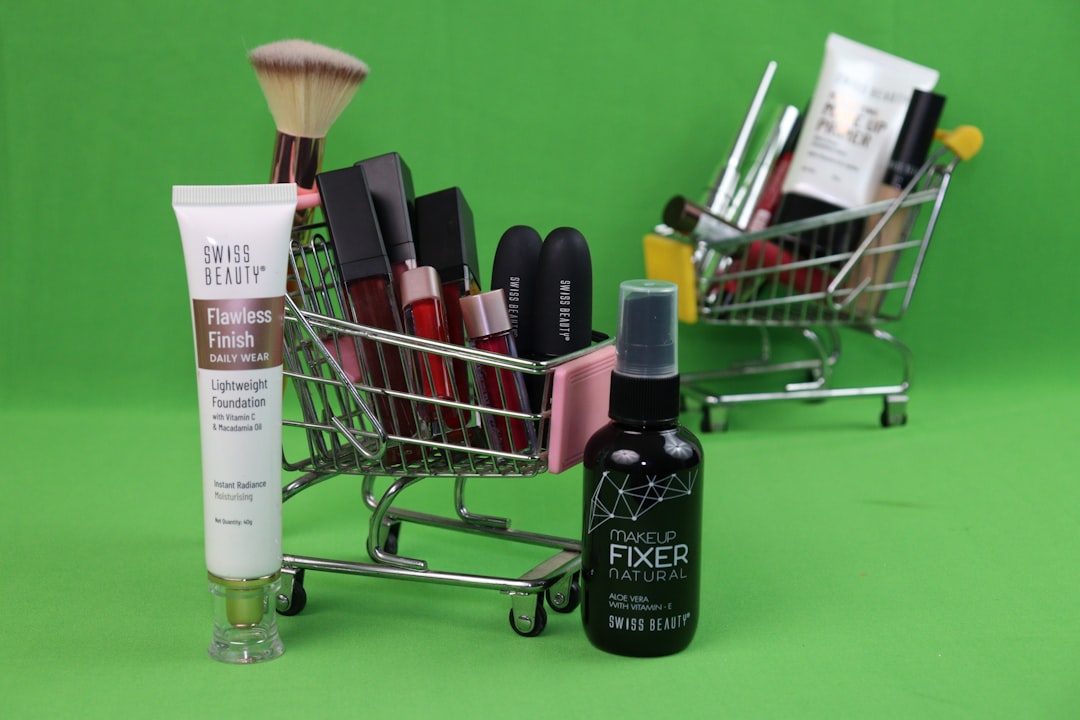
How Background Remover Platforms Work
Most modern platforms use AI image segmentation to identify the main subject and separate it from the background. The software analyzes shapes, colors, contrast, textures, and depth cues to determine which pixels belong to the subject and which belong to the surrounding scene. Once the subject is detected, the platform removes or masks the background.
Older tools often required manual tracing, selection brushes, or careful use of layers. While these methods still exist, automated background removal has made the process much faster. In many cases, a user can upload an image and receive a transparent version within seconds. More advanced platforms allow further refinement, such as restoring missing details, smoothing edges, removing unwanted shadows, or changing the background color.
The quality of the result depends on several factors. Images with strong contrast between subject and background are usually easier to process. Complex hair, fur, glass, smoke, transparent objects, and fine fabric can be more difficult. A reliable platform handles these details with edge detection, feathering, and manual correction options.
Common Uses for Clean and Professional Images
Background remover platforms are useful across many industries and creative workflows. Their value comes from making images adaptable, reusable, and visually consistent.
- Ecommerce: Online stores often need product images on white, light gray, or transparent backgrounds. Clean product photos help shoppers focus on size, shape, color, and detail.
- Marketplaces: Many selling platforms have image guidelines that require minimal distractions. Background removal helps meet those requirements quickly.
- Social media: Creators and brands use cutout images to design posts, thumbnails, reels covers, and promotional graphics.
- Professional portraits: A clean headshot background can make profiles, resumes, speaker pages, and company directories look more consistent.
- Advertising: Marketers can place isolated products or people into campaign layouts, banners, and display ads without reshooting the image.
- Print design: Brochures, catalogs, flyers, and packaging often require transparent PNG images that can sit naturally on designed backgrounds.
Key Features to Look For
Not all background remover platforms provide the same level of quality or control. A simple tool may be enough for quick social posts, while businesses with large image libraries may need batch processing and advanced editing options.
Accuracy is the most important feature. The platform should preserve fine details and avoid cutting into the subject. This is especially important for hair, jewelry, product edges, textured clothing, and objects with irregular shapes.
Speed also matters, particularly for teams handling large volumes of images. A platform that removes backgrounds one by one may be suitable for occasional use, but batch background removal can save hours for ecommerce stores, photographers, and marketing departments.
Editing controls are another major advantage. Even strong AI results may need slight adjustments. Tools such as erase, restore, zoom, edge smoothing, background replacement, and shadow control help users produce a more polished final image.
Export options should match the intended use. Transparent PNG is ideal for design flexibility, while JPG may be better for smaller file sizes. Some platforms also support high-resolution downloads, which are important for print and detailed product displays.
Consistency is especially valuable for brands. A platform that can apply the same background color, size, crop ratio, and alignment across multiple images helps create a unified visual system.
Benefits for Businesses and Creators
The main benefit of a background remover platform is efficiency. Professional image editing once required specialized skills and significant time. Automated tools reduce the barrier, enabling teams and individuals to prepare polished visuals without a full design workflow.
For small businesses, this can improve the quality of product listings without requiring expensive studio setups. For creators, it can make content more visually appealing and easier to repurpose. For agencies, it speeds up campaign production and reduces repetitive editing tasks.
There is also a financial advantage. When photos can be reused in multiple contexts, fewer reshoots may be required. A single product image can become a website asset, a catalog image, a social graphic, and an advertisement. This increases the value of the original photography.
Professional presentation builds trust. When images are clean, sharp, and consistent, viewers are more likely to perceive the brand or person behind them as credible. This perception is especially important in competitive online environments, where buyers and audiences make quick judgments.

AI Background Removal Versus Manual Editing
AI background removal is fast and accessible, but manual editing still has a place in professional production. Automated platforms are excellent for routine images, straightforward product shots, and high-volume workflows. They can deliver impressive results with minimal effort.
Manual editing may be preferred for highly complex images, luxury campaigns, fine art compositions, or cases where every pixel matters. A professional retoucher can make subjective decisions about shadows, reflections, color blending, and natural transitions. However, many workflows now combine both methods. AI performs the first cut, and a human editor refines the details only when necessary.
This hybrid approach saves time while maintaining quality. It allows creative teams to focus their attention on images that need artistic judgment rather than spending hours on basic cutouts.
Best Practices for Better Results
Even the most advanced platform performs better when the source image is strong. Users who want clean and professional results should follow several practical guidelines.
- Use high-resolution images: More detail gives the software more information, resulting in cleaner edges and better subject detection.
- Choose good lighting: Even lighting reduces harsh shadows and makes the subject easier to separate from the background.
- Avoid overly busy backgrounds: Complex backgrounds can confuse the detection process, especially when colors are similar to the subject.
- Check fine details: Hair, transparent materials, handles, straps, and small gaps should be reviewed after processing.
- Select the right final background: White may work for marketplaces, but brand colors, gradients, or lifestyle backgrounds may be better for campaigns.
- Keep proportions consistent: Product galleries and profile directories look more professional when size, crop, and alignment are uniform.
Choosing the Right Platform
The right background remover platform depends on purpose, image volume, budget, and quality expectations. A casual user may only need a simple upload and download tool. A business may require bulk editing, API access, team collaboration, and consistent export settings.
Before choosing a platform, decision-makers should consider how often images need editing, how complex the subjects are, and where the final images will appear. If the images are mainly for social media, fast processing and templates may be most important. If they are for ecommerce, accuracy, consistency, and high-resolution output may matter more.
Privacy and file handling should also be considered. Professional users may upload product prototypes, employee portraits, client materials, or unreleased campaign assets. A trustworthy platform should explain how uploaded files are stored, processed, and deleted.
Background Replacement and Brand Consistency
Removing the background is only one part of creating a professional image. The replacement background can shape the final mood and message. A transparent background gives designers maximum control, while a solid white background communicates simplicity and clarity. A soft gradient can add depth, and a branded color can strengthen recognition.
For ecommerce, consistency is often more important than creativity. A product catalog with matching background tones, shadows, and spacing feels organized and reliable. For social media and advertising, more expressive backgrounds may be appropriate. In these cases, the removed subject can be placed into bold campaign graphics or seasonal layouts.

Limitations to Keep in Mind
Background remover platforms are powerful, but they are not perfect. Some results may include jagged edges, missing details, leftover background fragments, or unnatural outlines. Transparent objects, reflective surfaces, and subjects with low contrast can remain challenging.
Another limitation is context. Removing a background may also remove natural shadows or environmental cues that make an image feel realistic. Some platforms provide artificial shadow tools, but these should be used carefully. A subject floating without proper grounding can look unnatural.
There is also a creative risk in overusing cutout images. If every visual looks too isolated or artificial, a brand may lose warmth and authenticity. The best image strategies usually combine clean cutouts with lifestyle photography, detailed close-ups, and contextual scenes.
The Future of Background Removal
Background remover platforms are likely to become more accurate, faster, and more integrated into everyday design tools. Future improvements may include better handling of transparent materials, automatic shadow recreation, depth-aware background replacement, and realistic lighting adjustments.
As AI models improve, platforms may move beyond simple removal and offer complete scene transformation. A product photographed on a desk could be placed in a studio scene, an outdoor setting, or a themed campaign layout while preserving realistic perspective and light. For businesses and creators, this will make professional visual production more accessible than ever.
Conclusion
Background remover platforms have become essential tools for creating clean and professional images. They help remove distractions, improve consistency, and make visuals more adaptable for websites, marketplaces, advertisements, print materials, and social content. While automated tools may not replace every aspect of expert retouching, they dramatically simplify one of the most common editing tasks.
When used thoughtfully, these platforms can strengthen visual presentation and save significant time. The best results come from combining strong source images, reliable software, careful review, and backgrounds that match the purpose of the final design. In a world where visual quality strongly influences trust and engagement, clean image editing is no longer optional; it is a practical part of professional communication.
FAQ
What is a background remover platform?
A background remover platform is an online or software-based tool that removes the background from an image, usually by using AI to detect the main subject. The result is often exported as a transparent PNG or placed on a new background.
Who uses background remover tools?
They are used by ecommerce sellers, photographers, marketers, designers, content creators, agencies, real estate professionals, and anyone who needs clean, adaptable images.
Are AI background removers accurate?
Many AI background removers are highly accurate, especially with clear, well-lit images. However, complex details such as hair, fur, glass, and shadows may still require manual refinement.
What file format is best after removing a background?
PNG is usually best when transparency is needed. JPG is useful when a solid background is added and a smaller file size is preferred.
Can background removal improve product photos?
Yes. It can make product photos look cleaner, more consistent, and more suitable for online stores, catalogs, marketplaces, and advertising campaigns.
Is a white background always the best choice?
No. A white background is common for ecommerce, but branded colors, gradients, lifestyle scenes, or transparent backgrounds may be better depending on the image’s purpose.
Do background remover platforms replace professional designers?
They do not fully replace designers. They automate a specific editing task, but professional judgment is still valuable for layouts, branding, lighting, composition, and final image quality.