Precision is the foundation of successful interior design. Whether designing a compact apartment, a corporate office, or a spacious family home, planning each square foot carefully can mean the difference between harmony and chaos. Today’s interior designers rely heavily on digital and technical tools to measure spaces, visualize layouts, experiment with materials, and eliminate costly mistakes before implementation begins. With technology evolving rapidly, several standout tools now make it easier than ever to plan spaces accurately and efficiently.
TLDR: Interior designers depend on specialized tools to measure, visualize, and refine spaces with exceptional accuracy. From 3D modeling software to augmented reality apps and laser measuring devices, these tools minimize errors and improve decision-making. Using the right combination of technology ensures precision, efficiency, and better client communication. This guide explores seven essential interior design tools and how each contributes to smarter space planning.
Table of Contents
1. Laser Measuring Devices
Before any digital magic begins, designers must obtain accurate measurements. Laser measuring devices have largely replaced traditional tape measures due to their precision and ease of use.
- Measures distances instantly with high accuracy
- Calculates area and volume automatically
- Reduces human error common with tape measures
- Stores measurement data for later use
Laser tools are especially valuable when measuring large rooms, high ceilings, or irregularly shaped spaces. By providing fast and reliable measurements, they create a solid technical foundation for every interior project.
2. 2D Floor Plan Software
Once measurements are collected, they are translated into digital layouts using 2D floor plan software. These tools allow designers to create accurate scaled drawings that outline walls, doors, windows, and structural elements.
Key features often include:
- Drag-and-drop walls and partitions
- Precise dimension input
- Furniture placement templates
- Layer organization for electrical and plumbing layouts
2D planning provides the skeleton of the space. It ensures every element is properly aligned and proportioned before moving into more advanced visualization stages.
3. 3D Modeling and Rendering Software
While 2D plans provide structure, 3D modeling tools bring designs to life. These programs allow designers to create immersive visual representations of interiors complete with textures, lighting, shadows, and materials.
Benefits of 3D modeling tools include:
- Realistic room visualization
- Material and color experimentation
- Walkthrough simulations
- Client presentation enhancements
Clients often struggle to interpret flat technical drawings. Three-dimensional renderings eliminate guesswork and build confidence in decision-making. Designers can experiment with multiple variations quickly without physically altering the space.

4. Space Planning and Layout Apps
Specialized space planning apps focus specifically on optimizing layouts. They enable users to test furniture arrangements while considering traffic flow, ergonomics, and functionality.
These tools often include features such as:
- Preloaded furniture libraries
- Room scaling calculators
- Clearance and walkway alerts
- Room zoning capabilities
For example, ensuring that there is adequate space between a sofa and coffee table or confirming that a dining area allows comfortable chair movement becomes significantly easier with automated spacing guidelines. This level of detail prevents overcrowded designs and improves usability.
5. Augmented Reality (AR) Visualization Tools
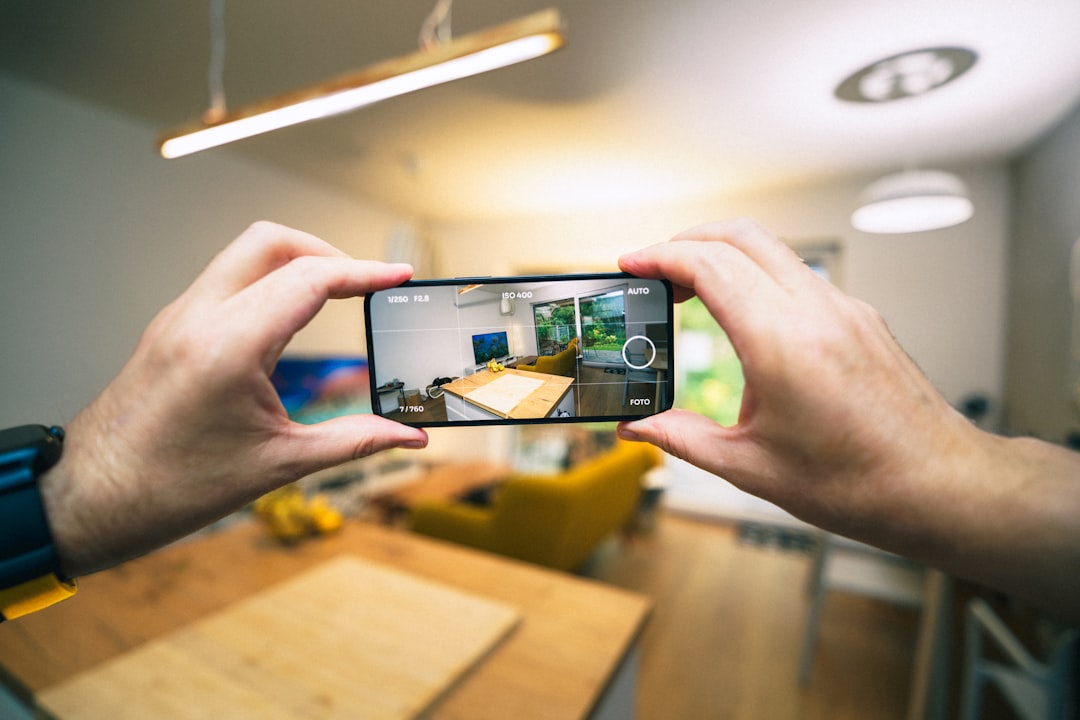
Augmented reality has revolutionized interior planning by overlaying digital objects onto real-world environments. Using a smartphone or tablet, designers and clients can preview furniture, decor, and finishes in actual spaces.
Advantages of AR tools:
- Real-time visual placement of furniture
- Immediate scale verification
- Better client engagement
- Reduced purchasing mistakes
Instead of guessing how a sofa will look in a living room, users can view a virtual version positioned accurately within the physical space. This technology bridges imagination and reality, significantly reducing visualization errors.
6. Lighting Simulation Software
Lighting dramatically affects a space’s mood, function, and perceived size. Lighting simulation tools help designers analyze both natural and artificial lighting conditions before installation.
Core capabilities include:
- Daylight pattern simulation
- Shadow impact analysis
- Illumination level calculations
- Fixture placement optimization
Such software ensures that workspaces receive adequate task lighting, living areas maintain warmth, and accent features are strategically highlighted. It also prevents common mistakes such as glare, dark corners, or over-illumination.
7. Material and Finish Visualization Libraries
Selecting materials without visual context can lead to mismatched finishes. Digital material libraries allow designers to apply realistic textures—such as wood, stone, paint colors, and fabrics—to 3D models.
These tools provide:
- Extensive finish databases
- Color matching features
- High-resolution fabric previews
- Realistic texture rendering
With advanced rendering capabilities, designers can see how velvet upholstery responds to light or how marble countertops contrast with cabinetry. This level of detail ensures a cohesive aesthetic.
Comparison Chart of Interior Design Planning Tools
| Tool | Primary Function | Best For | Precision Level | Client Visualization |
|---|---|---|---|---|
| Laser Measuring Device | Capturing accurate dimensions | Site measurements | Very High | Low |
| 2D Floor Plan Software | Creating scaled layouts | Structural planning | High | Moderate |
| 3D Modeling Software | Realistic rendering | Full room visualization | High | Very High |
| Space Planning Apps | Furniture arrangement | Layout optimization | High | High |
| AR Visualization Tools | Real world digital overlay | Furniture previews | Moderate to High | Very High |
| Lighting Simulation Software | Light analysis | Illumination planning | Very High | Moderate |
| Material Libraries | Finish selection | Aesthetic coordination | High | High |
Why Combining Tools Delivers Maximum Precision
No single tool can address every aspect of interior design planning. Laser measures ensure dimensional accuracy, while 2D and 3D platforms translate spatial data into functional layouts. AR tools enhance client involvement, and lighting simulations verify environmental comfort. Together, they create a comprehensive workflow that minimizes costly corrections during construction or renovation.
Professional designers often integrate multiple tools into a single project pipeline:
- Measure the space digitally
- Develop 2D structural plans
- Convert plans into 3D renderings
- Apply materials and lighting simulations
- Present AR previews to clients
This systematic approach transforms ideas into actionable plans with measurable accuracy.
Conclusion
Interior design is both an art and a science. While creativity shapes a space’s personality, precision ensures it functions effectively. Modern planning tools empower designers to reduce guesswork, improve collaboration, and produce reliable design outcomes. By leveraging laser technology, digital modeling, simulation software, and immersive visualization platforms, professionals can confidently transform conceptual ideas into balanced, well-proportioned, and beautifully executed interiors.
Frequently Asked Questions (FAQ)
1. Which tool is most important for beginners in interior design?
Beginners typically benefit most from 2D floor plan software and basic 3D modeling tools. These provide foundational skills in layout planning and visualization while remaining accessible.
2. Are laser measuring devices more accurate than traditional tape measures?
Yes. Laser devices minimize human error and provide precise digital readings, particularly useful in large or complex spaces.
3. Is augmented reality necessary for all projects?
Not necessarily. While highly beneficial for client presentations and furniture previews, smaller projects may not require AR technology.
4. How do lighting simulation tools improve design outcomes?
They predict how natural and artificial light will behave in a space, helping designers avoid poor illumination, glare, and uneven lighting distribution.
5. Can these tools be used together?
Absolutely. In fact, combining multiple tools produces the most precise results by addressing measurements, layout accuracy, visualization, material coordination, and environmental factors simultaneously.