Google Analytics 4, commonly known as GA4, is Google’s current analytics platform for measuring how people interact with websites, apps, and digital experiences. It replaced Universal Analytics as the standard version of Google Analytics and introduced a more flexible, privacy-aware, and event-based approach to measurement. For businesses, marketers, website owners, and product teams, understanding GA4 is now essential for making informed decisions based on reliable user behavior data.
TLDR: Google Analytics 4 is the latest version of Google Analytics, designed to track user interactions across websites and apps using an event-based data model. It offers stronger cross-platform measurement, improved privacy controls, predictive insights, and deeper integration with Google Ads. While GA4 can feel more complex than Universal Analytics, it provides a more modern and flexible foundation for digital analytics.
Table of Contents
What Is Google Analytics 4?
Google Analytics 4 is a web and app analytics platform that helps organizations understand how users find, navigate, and interact with their digital properties. Unlike the previous version, Universal Analytics, which relied heavily on sessions and pageviews, GA4 is built around events. This means almost every user interaction can be measured as an event, including page views, clicks, downloads, video plays, purchases, form submissions, and in-app actions.
The purpose of GA4 is not simply to count visits. It is designed to help answer practical business questions, such as:
- Where are users coming from?
- Which marketing campaigns bring engaged visitors?
- What actions do users take before converting?
- Where do users drop off in the customer journey?
- Which audiences are most likely to purchase or return?
GA4 can be used by small websites, ecommerce stores, publishers, software companies, mobile app developers, and large enterprises. Its value depends on proper implementation, thoughtful event tracking, and clear reporting goals.
Why Did Google Replace Universal Analytics?
Universal Analytics was created for an earlier internet era, when users primarily interacted with websites through desktop browsers. Over time, user behavior changed significantly. People now move between devices, browsers, apps, social platforms, and online stores before making a decision. Traditional session-based analytics became less effective at representing this complex journey.
Google introduced GA4 to address several important changes:
- Cross-device behavior: Users often switch between phones, tablets, laptops, and apps.
- Privacy expectations: Regulations and browser restrictions have reduced reliance on cookies.
- More complex journeys: A conversion may happen after many interactions across multiple channels.
- App and web integration: Businesses need one measurement model for both websites and mobile apps.
- AI-driven insights: Analytics tools increasingly rely on machine learning to identify trends and predict behavior.
As a result, GA4 was built to be more adaptable, more privacy-conscious, and more focused on meaningful interactions rather than simple traffic counts.
The Core Difference: Event-Based Tracking
The most important concept in GA4 is its event-based data model. In Universal Analytics, data was organized around hits, sessions, users, pageviews, and transactions. In GA4, user interactions are collected as events, and each event can include additional details called parameters.
For example, when a visitor clicks a “Download brochure” button, GA4 can record an event called file_download. That event might include parameters such as the file name, page location, file type, and user source. This creates a more detailed and customizable picture of behavior.
GA4 events generally fall into four categories:
- Automatically collected events: Basic interactions collected by default, such as first visits and session starts.
- Enhanced measurement events: Optional built-in tracking for scrolls, outbound clicks, site search, video engagement, and file downloads.
- Recommended events: Google-defined event names for common business actions, such as purchases, sign-ups, and logins.
- Custom events: Events created specifically for a website or app’s unique measurement needs.
This structure gives businesses more control, but it also requires careful planning. Poorly named or inconsistent events can make reports difficult to interpret.
Key Features of GA4
GA4 includes a wide range of features intended to support modern analytics. Some are simple to use, while others require configuration or technical support.
1. Cross-Platform Measurement
GA4 can combine data from websites and mobile apps into a single property. This is especially useful for businesses that have both a website and an iOS or Android app. Instead of treating these as separate environments, GA4 can help show how users move across them.
2. Enhanced Measurement
Enhanced measurement allows GA4 to automatically track several common user interactions without requiring custom code. These may include page views, scroll depth, outbound clicks, site search, video engagement, and file downloads. While this feature is useful, it should still be reviewed to ensure the collected data matches business needs.
3. Conversions
In GA4, any important event can be marked as a conversion. Examples include purchases, lead form submissions, newsletter signups, account registrations, and demo requests. This is different from Universal Analytics, where conversions were usually defined as goals.
Conversion tracking is one of the most important parts of GA4 setup because it directly affects reporting, campaign evaluation, and Google Ads optimization.
4. Explorations
The Explore section in GA4 allows users to build custom reports and deeper analyses. Exploration reports can include funnels, path analysis, segment comparisons, cohort analysis, and free-form tables. This feature is powerful, but it can be less intuitive for beginners than the standard reports.
5. Predictive Metrics
GA4 uses machine learning to support predictive audiences and metrics when enough data is available. Examples include purchase probability, churn probability, and predicted revenue. These features can help marketers identify valuable audiences, but they require sufficient data volume and correct implementation.
6. Google Ads Integration
GA4 integrates closely with Google Ads. Businesses can import GA4 conversions into Google Ads, build remarketing audiences, and analyze campaign performance. This connection is especially important for advertisers who depend on accurate conversion data for bidding and budget decisions.

How GA4 Reports Are Organized
GA4 reports are organized differently from Universal Analytics. The interface focuses on the user lifecycle and business objectives rather than traditional traffic reporting alone.
Main reporting areas usually include:
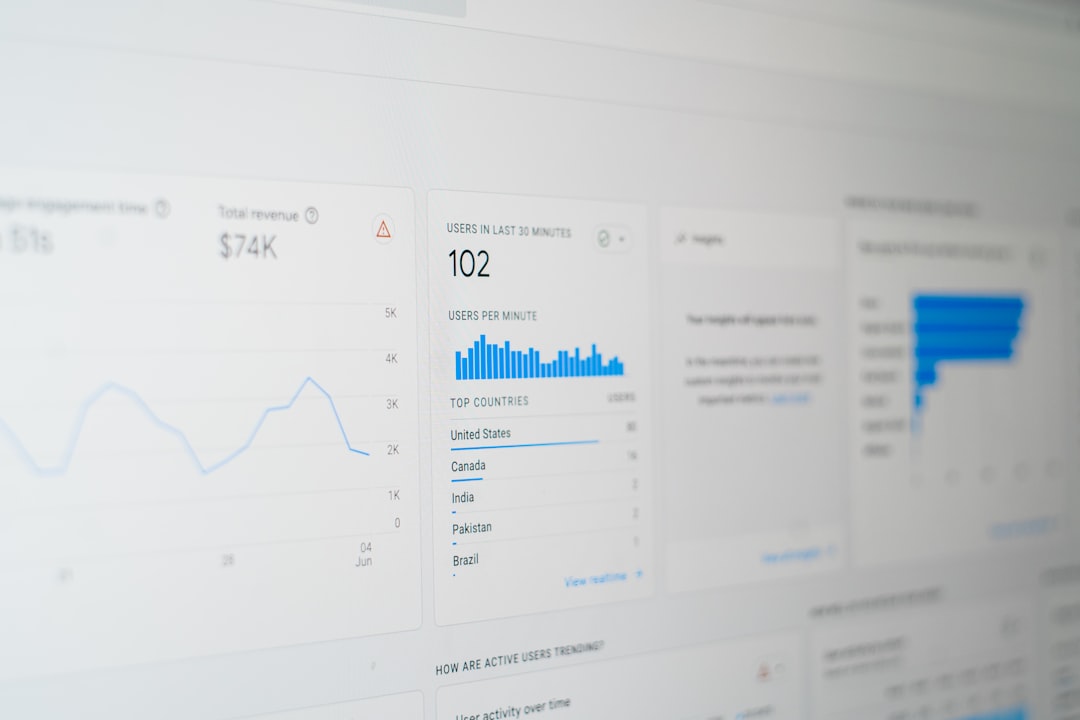
- Reports snapshot: A high-level summary of users, engagement, revenue, and key trends.
- Realtime: Live activity from users currently interacting with the site or app.
- Acquisition: Information about how users and traffic arrive, including channels, campaigns, and sources.
- Engagement: Data about events, pages, screens, and conversions.
- Monetization: Ecommerce revenue, purchases, subscriptions, and product performance.
- Retention: Insights into returning users and ongoing engagement.
- Demographics and technology: User characteristics, devices, browsers, operating systems, and locations.
Because GA4 reports are more customizable, many organizations create tailored report collections that match their own business model. For example, an ecommerce store may focus heavily on monetization reports, while a B2B company may focus more on lead generation events and funnel performance.
Important GA4 Metrics
GA4 introduced new metrics and changed the meaning of some familiar ones. Understanding these metrics is essential for accurate interpretation.
- Users: The number of unique users who visited or interacted with your property.
- New users: Users who interacted with the site or app for the first time.
- Sessions: Groups of user interactions within a defined period, though less central than before.
- Engaged sessions: Sessions that lasted longer than 10 seconds, had a conversion, or included at least two pageviews or screen views.
- Engagement rate: The percentage of sessions that were engaged sessions.
- Events: User interactions recorded by GA4.
- Conversions: Events marked as important business outcomes.
- Total revenue: Revenue from purchases, subscriptions, and other monetization sources.
One notable change is the reduced emphasis on bounce rate. GA4 does include bounce rate, but it defines it as the inverse of engagement rate. In practice, GA4 encourages businesses to focus on meaningful engagement rather than simply measuring whether someone viewed only one page.
GA4 and Privacy
Privacy is a major reason GA4 was developed. Increasing legal requirements and browser limitations have made old tracking methods less dependable. GA4 includes features that help businesses manage data responsibly, although compliance still depends on how the organization configures and uses the platform.
Privacy-related features include:
- Consent mode support: Adjusts data collection behavior based on user consent choices.
- Data retention controls: Allows administrators to define how long user-level data is stored.
- IP anonymization: Built into GA4 by default.
- Regional settings: Helps businesses manage data collection in different jurisdictions.
- Modeling capabilities: Uses aggregated and modeled data to help fill measurement gaps where appropriate.
Organizations should not assume that installing GA4 automatically makes them compliant with privacy laws. A serious implementation should include cookie consent review, privacy policy updates, data processing considerations, and internal access controls.
Benefits of Using GA4
When properly implemented, GA4 provides several meaningful advantages:
- More flexible tracking: Events can be tailored to specific business objectives.
- Better customer journey analysis: Web and app activity can be measured together.
- Improved campaign evaluation: Integration with Google Ads supports conversion-based optimization.
- Deeper analysis tools: Explorations allow advanced reporting beyond standard dashboards.
- Future-oriented measurement: GA4 is built for a less cookie-dependent analytics environment.
For decision-makers, the most important benefit is that GA4 can connect marketing activity to real outcomes when conversion tracking is configured correctly.
Common Challenges With GA4
Despite its strengths, GA4 has a learning curve. Many users who were comfortable with Universal Analytics find the GA4 interface less familiar. Some standard reports are different, historical Universal Analytics data does not transfer directly into GA4, and event planning can be confusing without a clear measurement strategy.
Common challenges include:
- Unclear event naming conventions
- Missing or duplicated conversions
- Differences between GA4 and other reporting platforms
- Limited understanding of attribution models
- Incorrect ecommerce implementation
- Overreliance on default reports without customization
These issues do not mean GA4 is unreliable. They usually indicate that analytics implementation needs review. Trustworthy data depends on proper setup, testing, documentation, and ongoing maintenance.

How to Set Up GA4 Properly
A basic GA4 setup can be completed quickly, but a professional setup requires planning. The implementation should begin with a measurement plan that defines what the business needs to know and which actions matter most.
A practical setup process includes:
- Create a GA4 property: Set up the property in Google Analytics and configure basic settings.
- Install the tracking tag: Use Google Tag Manager, the Google tag, or an approved platform integration.
- Enable enhanced measurement: Review which automatic events should be collected.
- Define key events: Identify important actions such as purchases, leads, signups, or downloads.
- Mark conversions: Set the most important events as conversions.
- Configure ecommerce tracking: For online stores, implement product, cart, checkout, and purchase events.
- Link Google Ads and Search Console: Connect relevant Google platforms for more complete reporting.
- Test thoroughly: Use DebugView, realtime reports, and tag testing tools to verify data accuracy.
- Document the setup: Maintain a clear record of events, parameters, conversions, and reporting definitions.
This disciplined approach helps ensure that GA4 reports are useful, consistent, and credible.
Who Should Use GA4?
GA4 is suitable for almost any organization with a digital presence. Website owners can use it to understand traffic sources and content performance. Ecommerce businesses can track revenue and product behavior. Marketing teams can measure campaign effectiveness. Product teams can analyze feature usage and retention. Executives can use GA4 reporting to monitor digital growth and business outcomes.
However, the level of setup should match the complexity of the organization. A simple brochure website may only need basic events and contact form conversions. A large ecommerce company may need advanced ecommerce tracking, audience segmentation, BigQuery export, consent management, and custom dashboards.
Final Thoughts
Google Analytics 4 is more than a replacement for Universal Analytics. It is a significant shift in how digital behavior is measured. Its event-based model, cross-platform capabilities, privacy-oriented features, and machine learning tools make it better suited to today’s fragmented customer journeys.
At the same time, GA4 should be approached seriously. Reliable analytics does not come from simply installing a tag. It requires a clear measurement strategy, accurate configuration, regular testing, and thoughtful interpretation. When implemented correctly, GA4 becomes a valuable decision-making tool that helps organizations understand users, improve marketing performance, and build better digital experiences.